Learn how to get the most out of ecolyptus with our quick, easy-to-follow product tutorials. Each video walks you through practical features, time-saving tips, and best practices to help you work smarter and make the most of every tool.
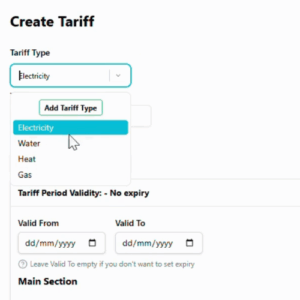
Creating a new tariff
Discover how to set up a new utility tariff that mirrors your actual billing structure. In this tutorial, you’ll learn how to configure rates, charges, and conditions to accurately reflect real-world costs and enable detailed tariff analysis.
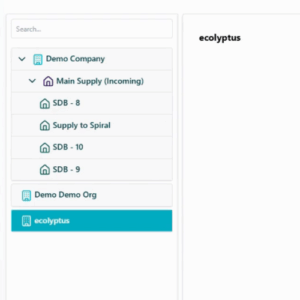
Learn how to structure your data in ecolyptus using the Tree Menu. This tutorial walks you through organising information from top-level entities like organisations all the way down to individual meters, giving you a clear, logical view of your energy data.
Learn how to create notifications in ecolyptus to stay informed about your energy data. This tutorial shows you how to set up alerts for energy consumption thresholds or meter outages, and where to view and manage notifications once they’re active.
Learn how to use the Math Bar in Data Pulse to create custom calculations from your energy, cost, or CO2 data. This tutorial shows you how to input formulas, run calculations, and save Math Meters for ongoing analysis.